如何使用 Gradio 2.0 載入及組合 Hugging Face 模型
Using & Mixing Hugging Face Models with Gradio 2.0
Gradio 2.0 讓使用者可用一行程式碼透過 GUI 載入並使用幾乎任何 Hugging Face 模型。預設會使用 Hugging Face 託管的 Inference API,可提供自己的 API key 或免 key 使用;亦可執行 `pip install transformers` 在本機運算。它支援多個模型並行或串聯,文中示範以 3 行程式碼翻譯並摘要芬蘭新聞文章。
文章展示 Gradio 2.0 如何以一行程式碼建立模型 GUI,並串聯或並行組合 Hugging Face 模型,提供比較模型及串接多步任務的實作參考。
Cross-posted from the Gradio blog.
The Hugging Face Model Hub has more than 10,000 machine learning models submitted by users. You’ll find all kinds of natural language processing models that, for example, translate between Finnish and English or recognize Chinese speech. More recently, the Hub has expanded to even include models for image classification and audio processing.
Hugging Face has always worked to make models accessible and easy to use. The transformers library makes it possible to load a model in a few lines of code. After a model is loaded, it can be used to make predictions on new data programmatically. But it’s not just programmers that are using machine learning models! An increasingly common scenario in machine learning is demoing models to interdisciplinary teams or letting non-programmers use models (to help discover biases, failure points, etc.).
The Gradio library lets machine learning developers create demos and GUIs from machine learning models very easily, and share them for free with your collaborators as easily as sharing a Google docs link. Now, we’re excited to share that the Gradio 2.0 library lets you load and use almost any Hugging Face model with a GUI in just 1 line of code. Here’s an example:
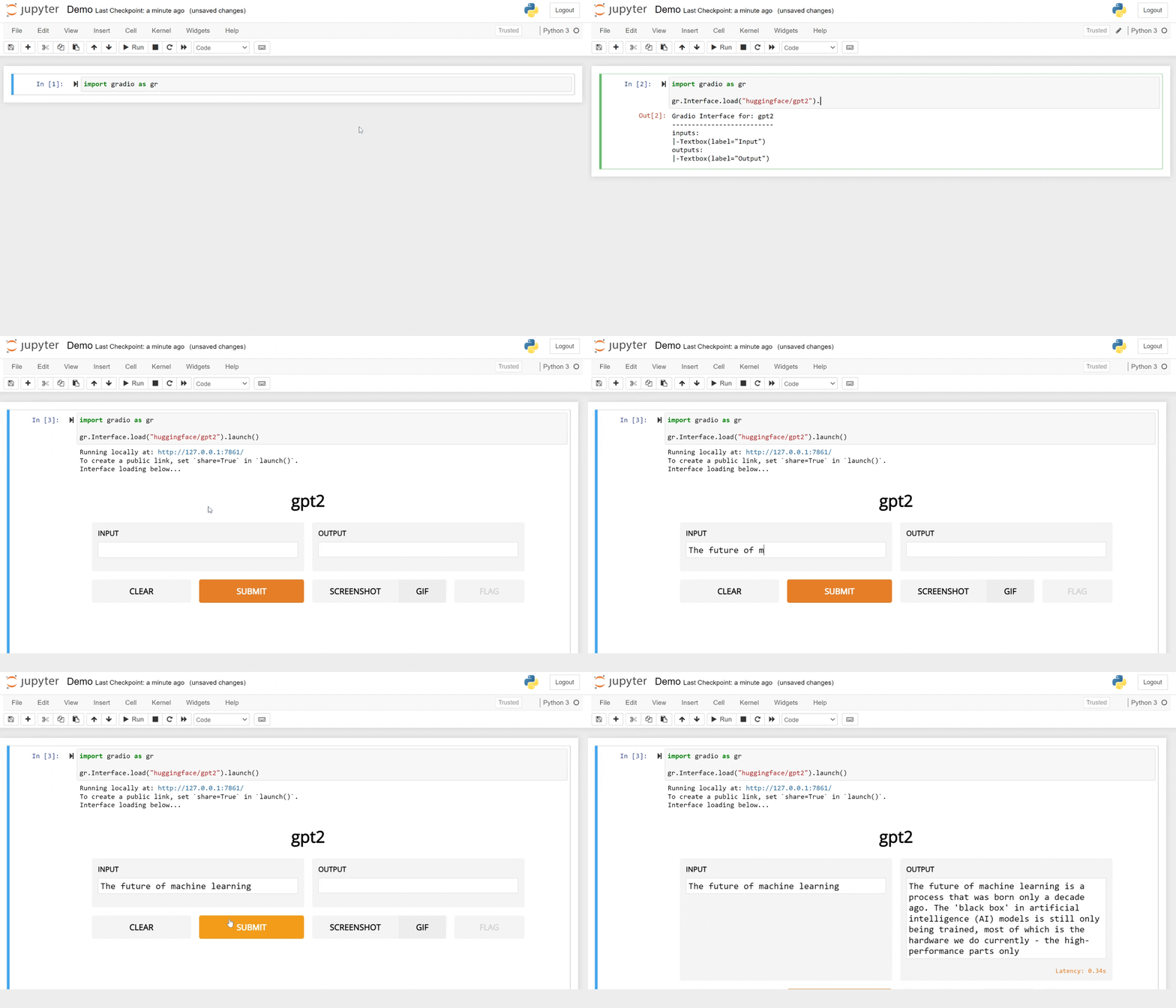
By default, this uses HuggingFace’s hosted Inference API (you can supply your own API key or use the public access without an API key), or you can also run pip install transformers and run the model computations locally if you’d like.
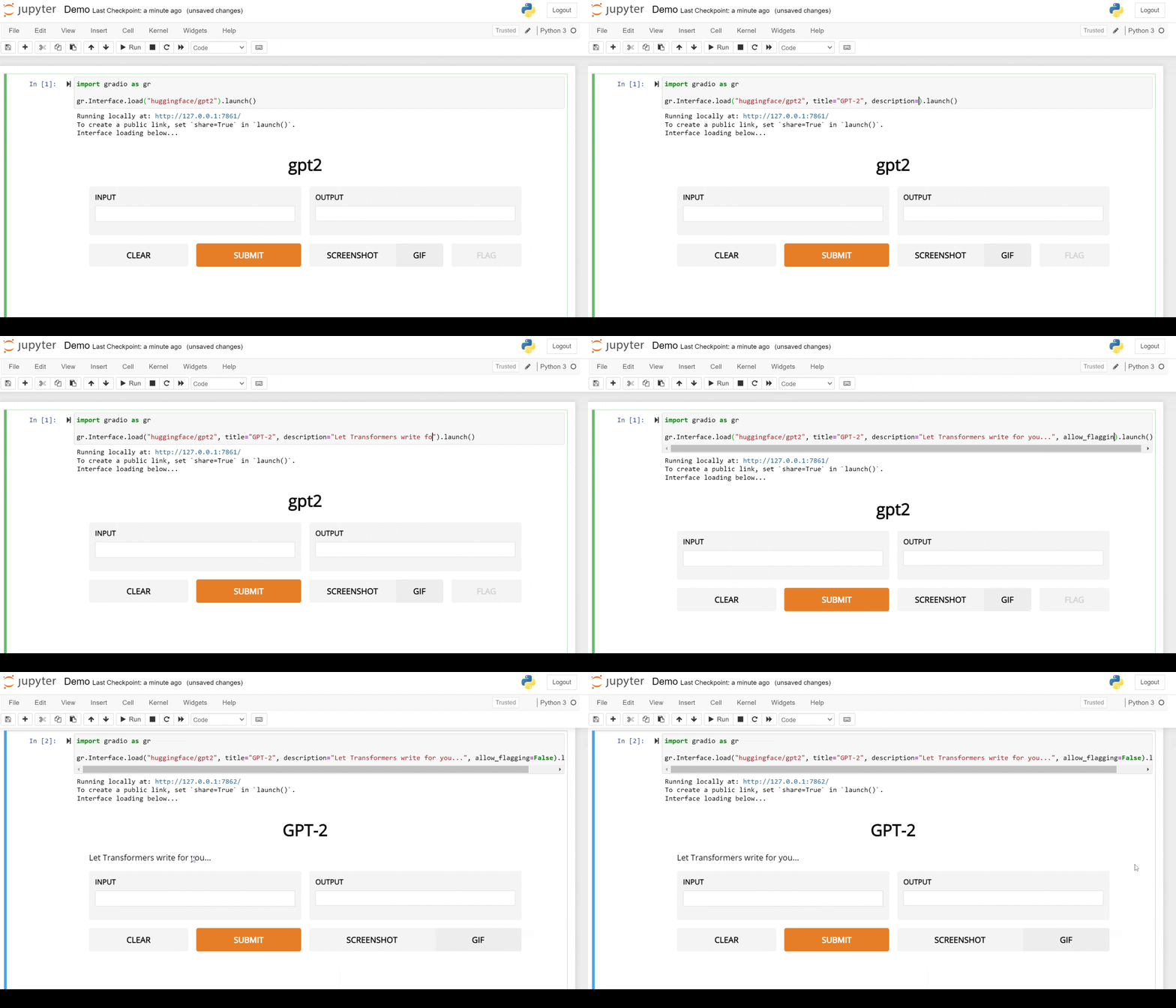
Do you want to customize the demo? You can override any of the default parameters of the Interface class by passing in your own parameters:
But wait, there’s more! With 10,000 models already on Model Hub, we see models not just as standalone pieces of code, but as lego pieces that can be composed and mixed to create more sophisticated applications and demos.
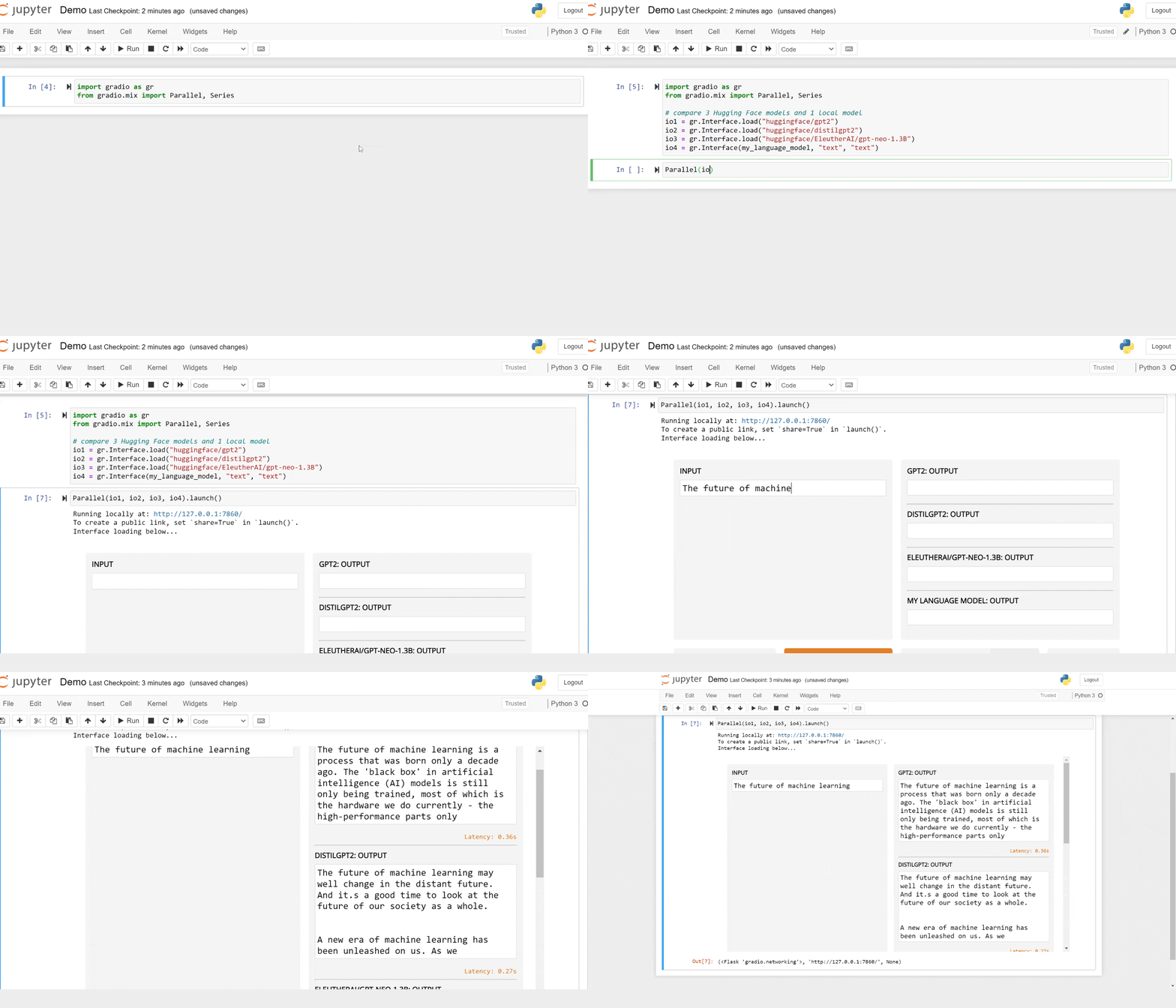
For example, Gradio lets you load multiple models in parallel (imagine you want to compare 4 different text generation models from Hugging Face to see which one is the best for your use case):
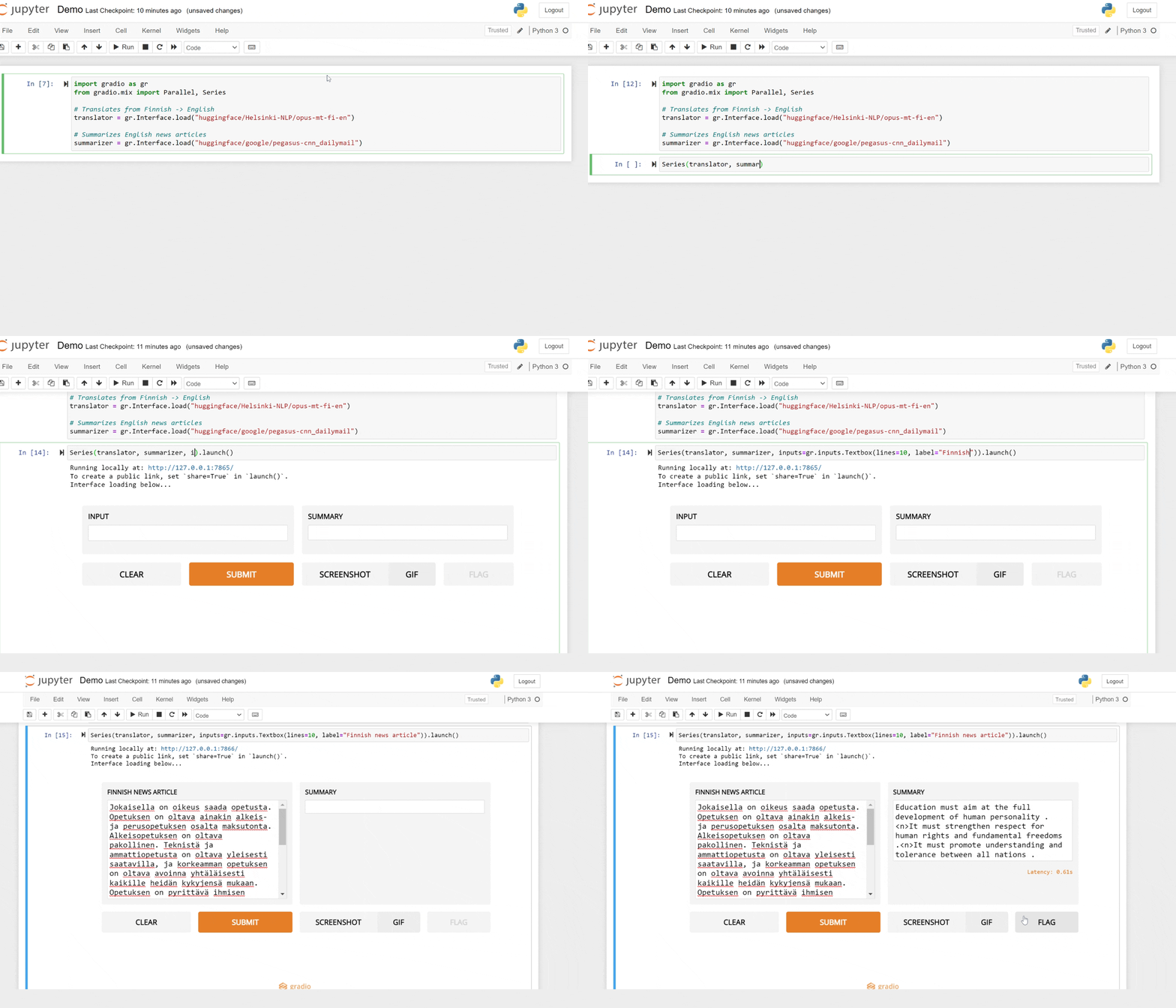
Or put your models in series. This makes it easy to build complex applications built from multiple machine learning models. For example, here we can build an application to translate and summarize Finnish news articles in 3 lines of code:
You can even mix multiple models in series compared to each other in parallel (we’ll let you try that yourself!). To try any of this out, just install Gradio (pip install gradio) and pick a Hugging Face model you want to try. Start building with Gradio and Hugging Face 🧱⛏️
來源:Hugging Face Blog · huggingface.co